Silent phone recording: a hand holds an iPhone scanning a kitchen with Polycam; the detected walls, counters and cabinets are outlined as the phone moves through the room.
0:000:00
On location.
Capture the space on your phone.
Build the set. Shape the light. Find your frame.
14-day free trial, no card needed. Built for Apple silicon Macs.
Silent screen recording: in a small furnished room set, an ARRI M18 is placed and aimed at the actor and a 4-by-4 bounce board is moved in beside her, while the Camera Monitor refines the close-up as the light changes.
LESS GUESSWORK. MORE POSSIBILITIES.
KaveLight gives filmmakers a place to explore lighting, blocking and composition.
FROM AN EMPTY SET TO YOUR NEXT SHOT
Build or import your location, then explore where your cameras and lights could go.
Real-scale props. Editable spaces. Room to experiment.
Silent screen recording: a room is built from a floor, walls, a ceiling and a window, the figure Marcus is placed inside, and a camera is added so the set appears in the Camera Monitor.
WORKS WITH CLAUDE AND CHATGPT
Let a connected AI assistant help build and adjust your scene while you direct the creative choices.
Silent screen recording: a film still of a motel room is given to Claude, which builds the room, its lamps and the camera in KaveLight until the Camera Monitor matches the reference frame.
YOUR LOCATION. YOUR STARTING POINT.
Scan the real place on your phone and import it as a set, or rebuild it quickly with AI.
Silent phone recording: a hand holds an iPhone scanning a kitchen with Polycam; the detected walls, counters and cabinets are outlined as the phone moves through the room.
Capture the space on your phone.
Silent screen recording: the kitchen scan opens in KaveLight as a set of real walls and floors, listed in the scene panel and ready to light.
Open the scan as a set you can light.
ALREADY BUILT A SET?
A SketchUp export comes in with its named parts. KaveLight also imports USDZ, FBX, OBJ, glTF and Collada files.
Silent screen recording: a SketchUp model of a warehouse set is dragged into KaveLight and arrives with its named parts listed in the scene panel.
Real-scale props, ready for your scene.
Find the right shape for the space.
Build the room around the story.
Make a set feel lived in.
BEYOND THE SETUP
Choose a camera body, recording format, and lens. See how each choice changes your frame in the Camera Monitor.
Silent screen recording: the camera panel switches bodies, recording formats and lenses, including a Sony VENICE 2 anamorphic format, and the frame in the Camera Monitor changes with each choice.
Position cameras and lights in the overhead view, with your frame in sight.
Silent screen recording: in Overhead 2D mode, four ARRI M18 fixtures behind a 20-by-20 diffusion frame are dragged into place around the actor and the camera while the Camera Monitor shows the result.
Silent screen recording: the Atmosphere density and forward-scatter sliders are raised and haze fills a white room, revealing the beam from a Fresnel through the window in the Camera Monitor.
Add haze and see the beams from your fixtures take shape.
MEET YOUR CAST
Choose your cast. Set a pose.
Build the scene around them.
GET HANDS-ON
Fly the camera and move around your set with a PlayStation or Xbox controller.
ARRI. Aputure. Mole-Richardson. K5600. Nanlux. Work with real fixtures and manufacturer photometric data.
Tungsten · HMI · LED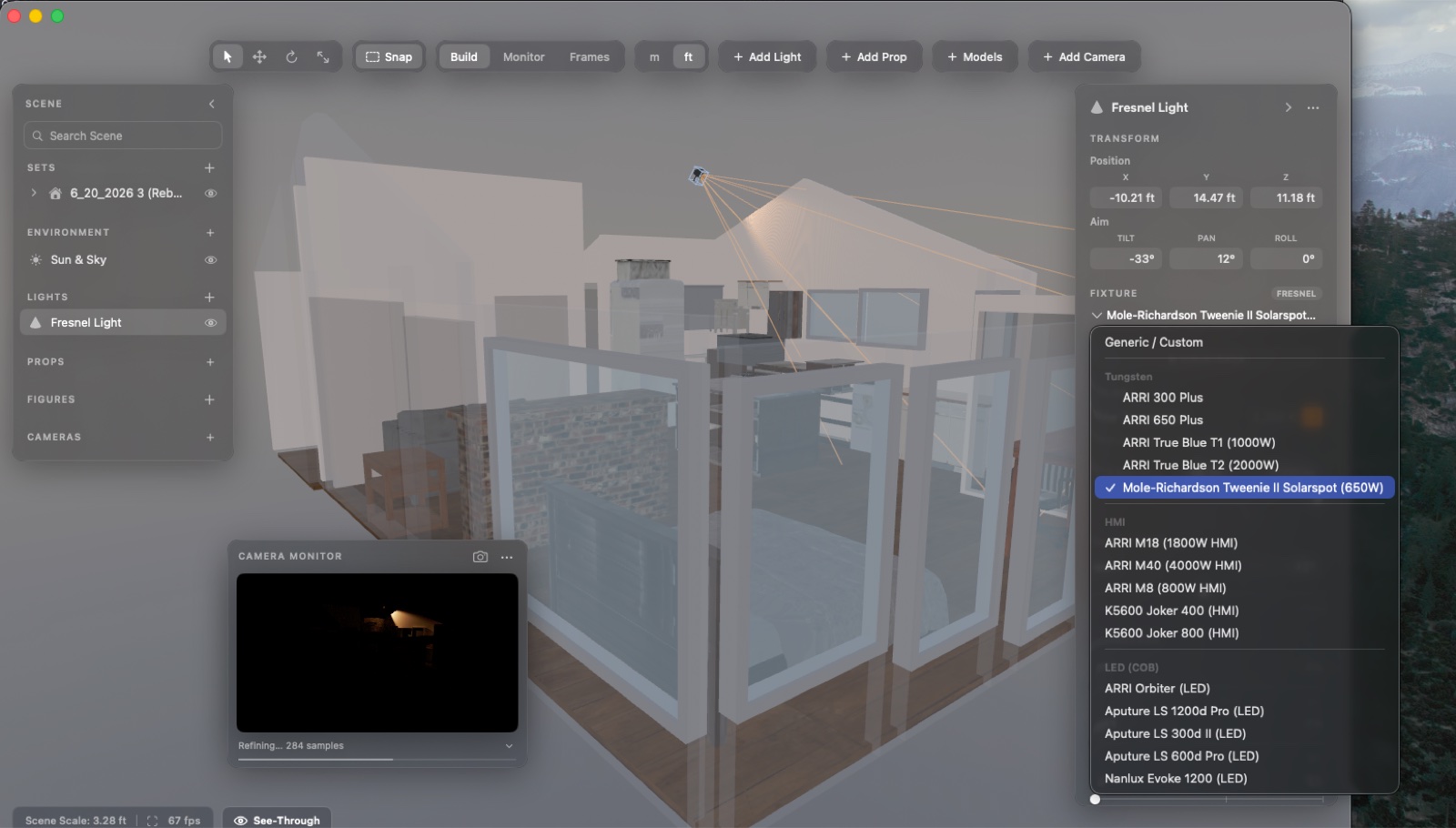
Check false color and waveform in the Camera Monitor. Choose your sensor, lens, T-stop, shutter, ISO and ND — and make the shot your own.
36 camera bodies · 279 recording formatsPlanning estimates. Always verify on set.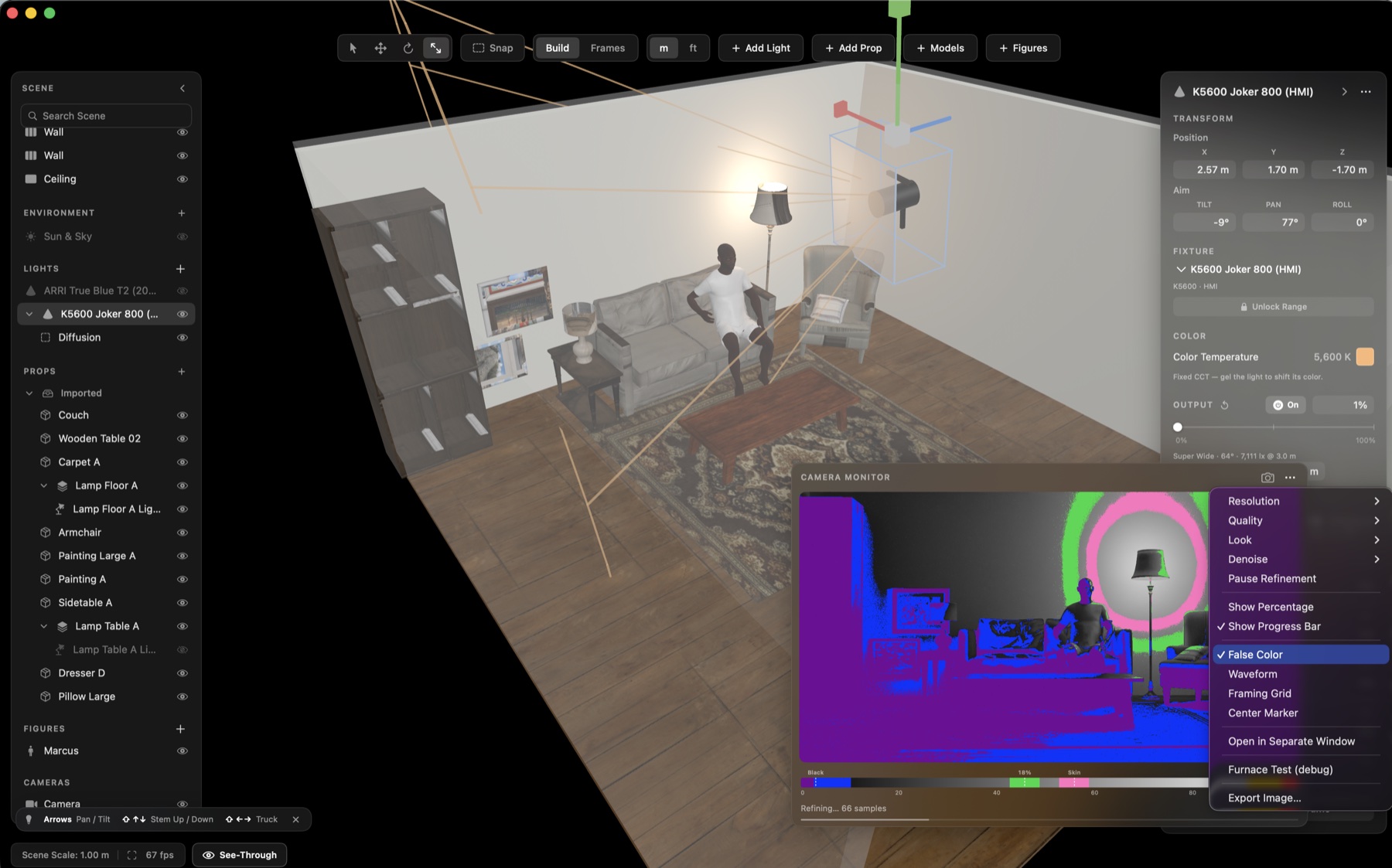
RIGHT AT HOME ON YOUR MAC
Built for Apple silicon. Rendered on your machine.
Keep creating wherever the production takes you.
Start with a 14-day free trial, no card needed.
Early Bird: 20% off · Sale Ends Nov 1st
$24.95a month
14 days free, no card needed.
Regular price $249
$199.20first year
Buy YearlyThen $249 a year. Cancel anytime.
Regular price $819
$655.20once
Buy PerpetualYours forever.
Your trial starts when you open KaveLight.
Student? Email support@kavelight.com for 50% off your first year of Yearly.
A FEW THINGS TO KNOW
START YOUR FREE TRIAL
14-day free trial, no card needed. See pricing. macOS 15+ · Apple silicon.